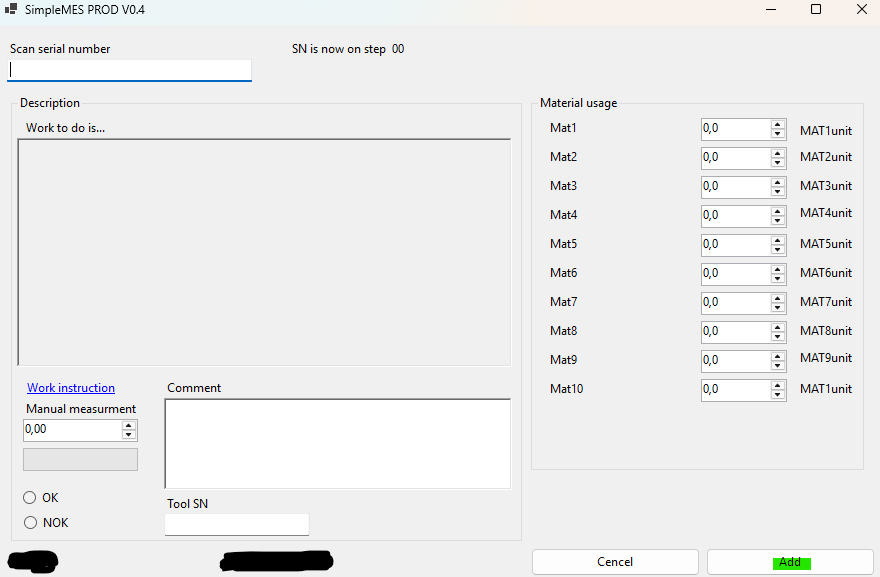
The drawing below illustrates the main concept of how SimpleMES defines the production flow for a single unit during the manufacturing process. In general, this approach provides full traceability of production time, operator activity, and tool usage.
The example shows three operations performed on three separate serial numbers. Each operation is executed by an operator (human) who is logged into the production workstation.

OP1 (Operation 1)
At OP1, material MATx is added according to the BOM and the production routing. This production step can be configured either as automatic material consumption or as manual declaration, where the operator specifies how much of MATx was consumed (e.g., glue application).
OP2 (Operation 2)
OP2 represents a measurement step, where external software is called to evaluate specific parameters of the production unit SN02. This integration is configured when the production routine is created by the planner or process engineer. (Detailed information about the data passed to the external software will be provided in a separate note.)
For this operation, tool usage tracking is also available where applicable. Side note: ISO 6789 requires tracking the usage of “critical” tools (e.g., torque screwdrivers, click‑type torque wrenches). If production analysis identifies a special characteristic that requires monitoring the number of tool cycles, SimpleMES supports this as a standard feature.
OP3 (Operation 3)
OP3 represents a visual inspection performed by the operator, for example verifying specific visual characteristics. This can be considered the final step in this example. The operator is only required to provide an OK/NOK judgment.
Time Measurement
For each of the three operations, a small clock icon indicates that time measurement is active. The timer starts when the serial number of the workpiece is scanned and recognized by the system. The timer stops when the operator presses the “Add” button. All results are sent directly to the SQL database from each production workstation.